![superfy Logo-Neg-4.png]](https://knowledge.superfy.com/hs-fs/hubfs/superfy%20Logo-Neg-4.png?height=30&name=superfy%20Logo-Neg-4.png)
How to Install the Smart Compactor
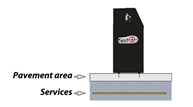 |
Check surface is suitable for fixing machine into ground.
|
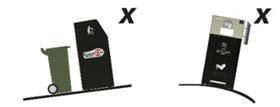 |
Do not install on uneven or on inclined surface. Ensure machine is on a level surface. Use Levelling Pads as required on unlevel surface |
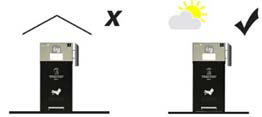 |
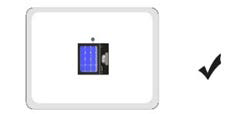
Do not install indoor. Install with access to daylight, preferably sunlight. |
 |
Ensure area is safe from bystanders during installation. Fence off as required. |
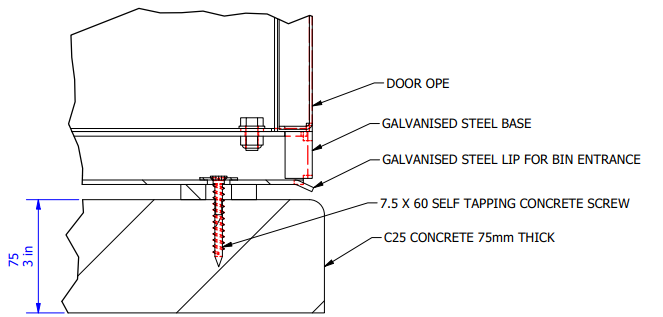 |
TYPICAL INSTALLATION DETAIL. 1. Position Unit in the desired orientation & ensure Service Door can open fully & General Public can access waste feed area. 2. Drill Size 6/6.5mm bit into the concrete through the 4 holes provided in the Galvanise base. 3. Use minimal 7.5x60 Self Tapping Concrete Screws on suitable Concrete base. (T30 Bit) |
 Ensure that there are no services including;
NOTE IF RELOCATING UNIT
- Ensure Ground are is made safe
- Ensure all hazards are removed
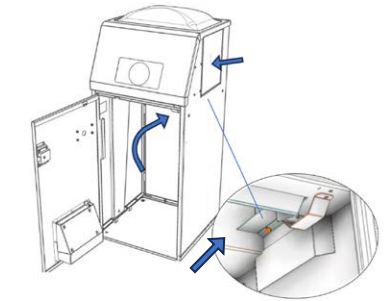
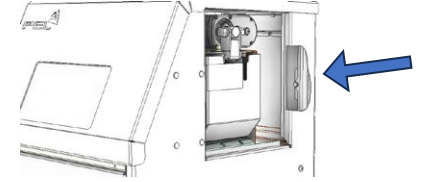
How to Turn On the Smart Compactor
 |
|
 |
|
 |
|