![superfy Logo-Neg-4.png]](https://knowledge.superfy.com/hs-fs/hubfs/superfy%20Logo-Neg-4.png?height=30&name=superfy%20Logo-Neg-4.png)
Please ensure to take a Manual Reading both before and after completing each step outlined below.
1. Check that there is no buildup (Superfy Pro and Superfy Mini)
-
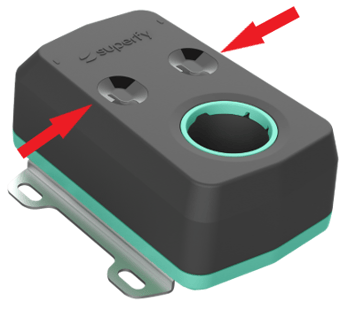
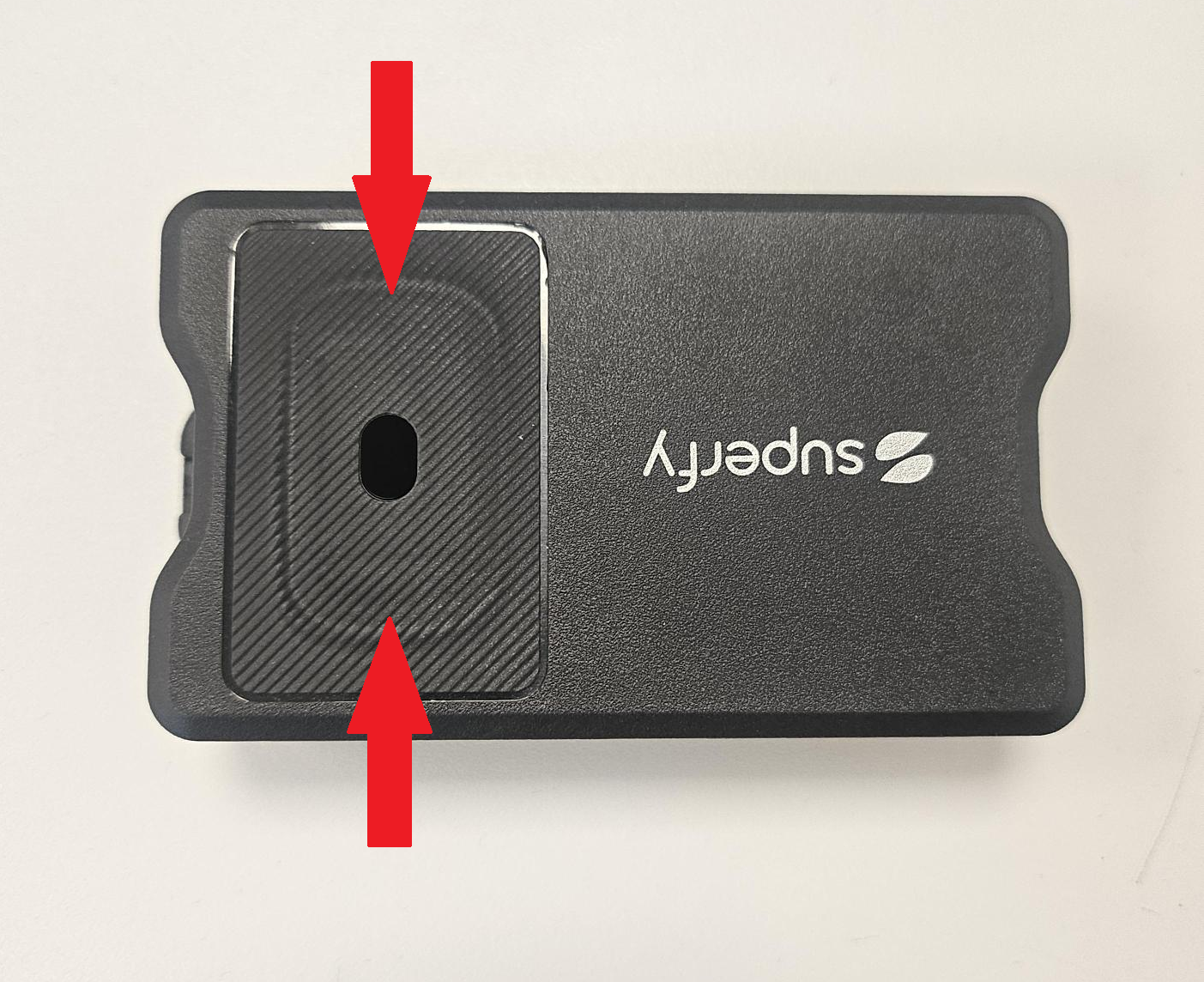
Cleanliness: Check that the optical lenses are free of dirt or buildup. If any debris is present, gently wipe the sensor lenses with a clean cloth. No detergent is required
2. Installation Position & Alignment (Superfy Pro and Superfy Mini)
-
Sensor Positioning: Ensure the sensor is installed correctly, with the two sensor lenses facing downward toward the center bottom of the bin. The lenses should not be directed toward the sides of the bin or container. Using a laser for alignment verification is recommended.
- Obstruction Check: Ensure there are no obstructions blocking the lenses or horns, including transparent or reflective materials that could interfere with the sensor’s operation.
Sensor Placement Guidelines:
-
General: Ultrasonic and laser sensors must have a clear, unobstructed path to the material surface.
-
Superfy Mini Specific: If the sensor is installed too close to the container walls or at an angle, sound waves may reflect prematurely, resulting in falsely short distance readings. Ultrasonic works by reflecting sound waves off the nearest surface.
- The Superfy Mini should be mounted at the center of the container. For a bin height of 88 cm, the minimum recommended radius is 24 cm.
- The Superfy Mini should be mounted at the center of the container. For a bin height of 88 cm, the minimum recommended radius is 24 cm.
3. Incorrect calibration or setup (Superfy Pro and Superfy Mini)
-
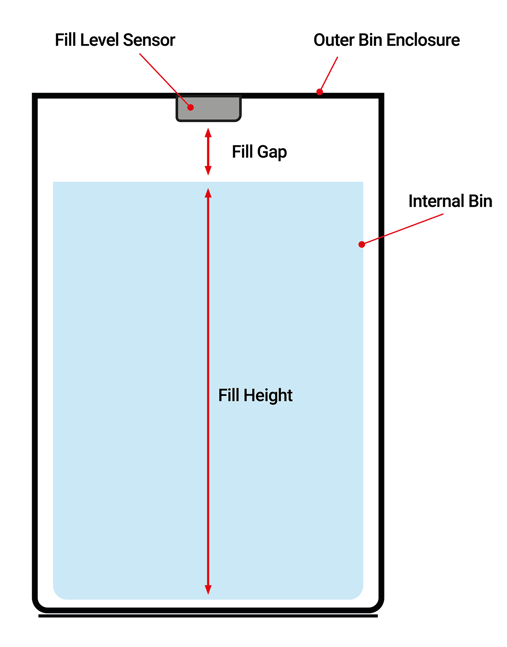
Ensure the correct Fill Height, Fill Gap, and Bin Volume measurement are recorded against the container type.
Below is some additional information on how to update the measurements.
4. Temperature & Air Conditions (Superfy Pro and Superfy Mini)
-
Temperature extremes: Very hot or very cold conditions—can cause inaccurate readings or sudden jumps in fill level measurements. In most cases, this issue resolves itself over time. If you notice condensation on the lenses of the laser, gently wipe it clean.
5. Aging or damaged sensor (Superfy Pro and Superfy Mini)
-
Physical or internal damage to the sensor can result in inaccurate fill level readings. If you suspect the sensor is damaged, please contact support@superfy.com for assistance with the RMA process.
If the above does not resolve the issue, please contact either your Account Manager, Customer Success Manager or email support@superfy.com